Studio
Lifecycle & bindings
Design your app's states and data bindings in the Studio, and preview them with live inputs.
Studio feature
Open the Studio, 14 days free, then $9 a month or $99 a year (prices). The same design can be written by hand as an FX Spec.
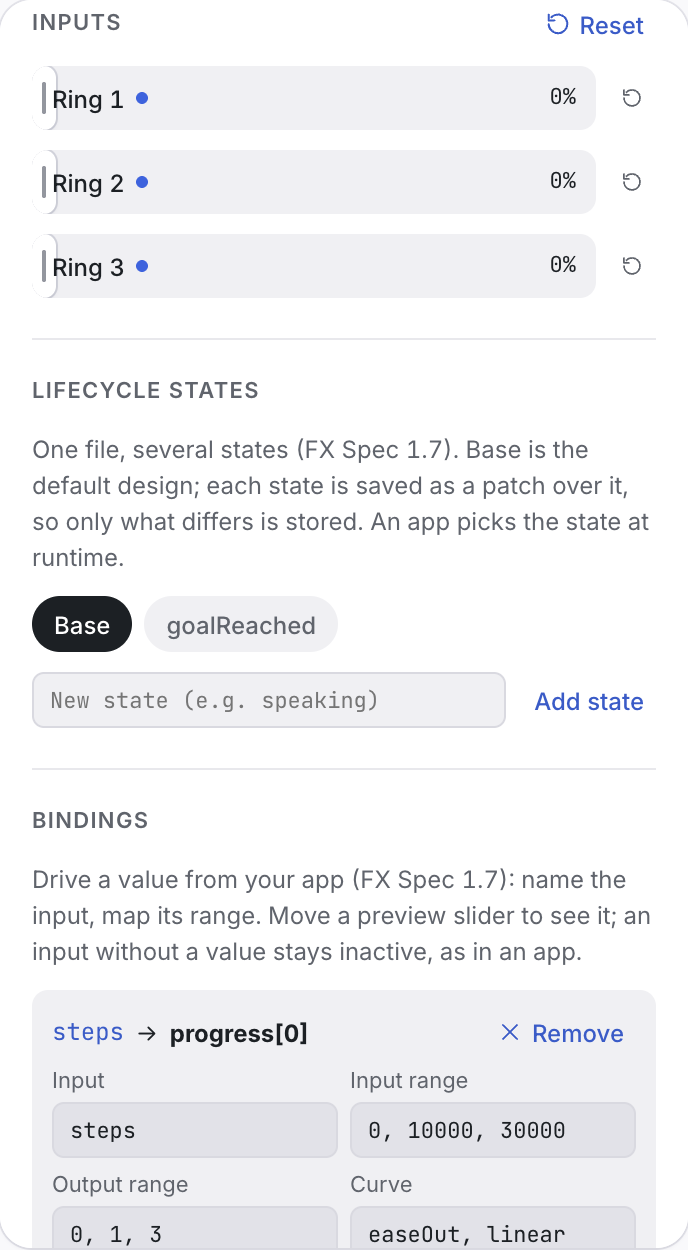
The Spec panel edits everything an FX Spec holds beyond the look:
- States: add your app's lifecycle states (
idle,listening, … for a voice agent). Each state is a patch over the base design: change its pattern, colour, materials or speed, and see only what differs. Switching states in the Studio swaps the design immediately; in your app the view animates the change (0.6 s by default, per pair in the file'stransitions).
See States vs patterns.
- Bindings: map your app's inputs onto values (
progress,audioLevel,glow.strength, …) with input and output ranges and a curve. Sliders for each input let you preview the binding before any code exists. See Bindings. - Performance: a frame-rate cap, and what to shed in low-power mode.
Problems show up as you edit, with the same messages the engine reports at runtime (Diagnostics).